How to Plan a Family Trip: My Step-by-Step Method + Atlanta Example
Planning a family trip isn’t just about logistics. For me, the dreaming and the planning are half the fun — it’s like curating an experience, just for my family. In this post, I’ll take you behind the scenes of how I plan a familiy trip, using our recent weekend in Atlanta as an example. Use the steps that make sense for your family, and always keep in mind what you actually enjoy while traveling. And don’t miss Step 11 — it’s my favorite way to make all the effort of planning worthwhile!

1. Choose the Destination
There are so many ways to decide where to travel. Is it an extension of a trip? Prefer to drive over fly? Have a specific interest you’re considering? Cheap flights or hotel points? This first step sets the tone for how you’ll plan your family trip — the type of destination will definitely shape how you build your itinerary!
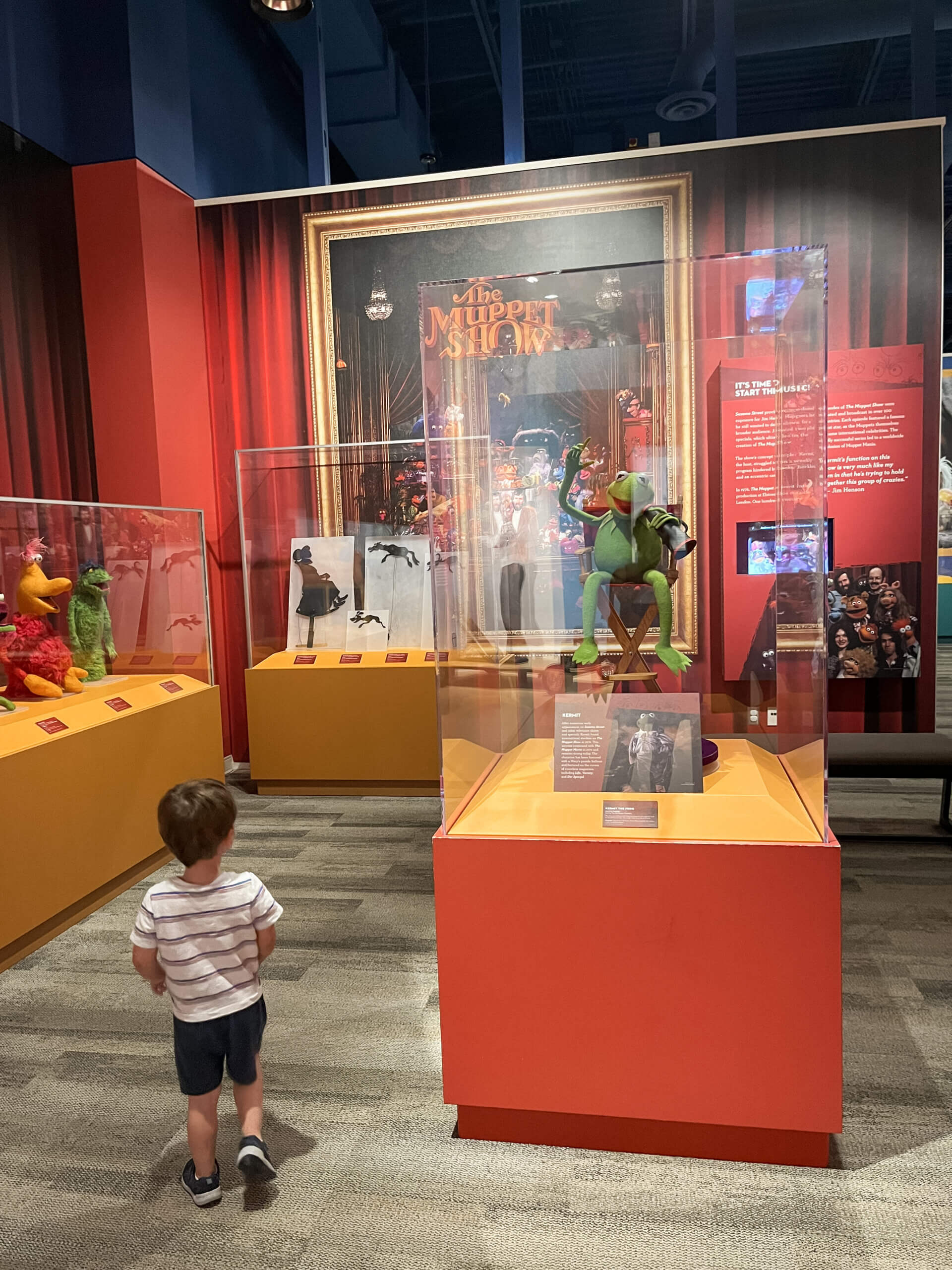
We’ve driven through Atlanta many times on our way north to stay near Ellijay, Georgia. This summer, we decided to add a stop on the way and spend a weekend exploring Atlanta!
Where to Find Your Info
For longer, more immersive trips (like when I planned our week-long anniversary trip to Ireland), I love checking out books from the library to get the feel of a place. For a weekend away, the internet is usually enough!
2. Start a Google Maps List
Your first real step to plan a family trip is always creating a new Google Maps list. I add everything we might want to see or eat — attractions, restaurants, coffee shops, parks, playgrounds.
This becomes your “catch all” app. It helps later if something is closed or plans shift, because you’ve already saved back-up options. This saved me when our original lunch spot in Atlanta was closed — I just pulled up the map and had a backup ready! I also love having 2-3 top options for a lunch or a snack stop so everyone can weigh in on what they’re most interested in.
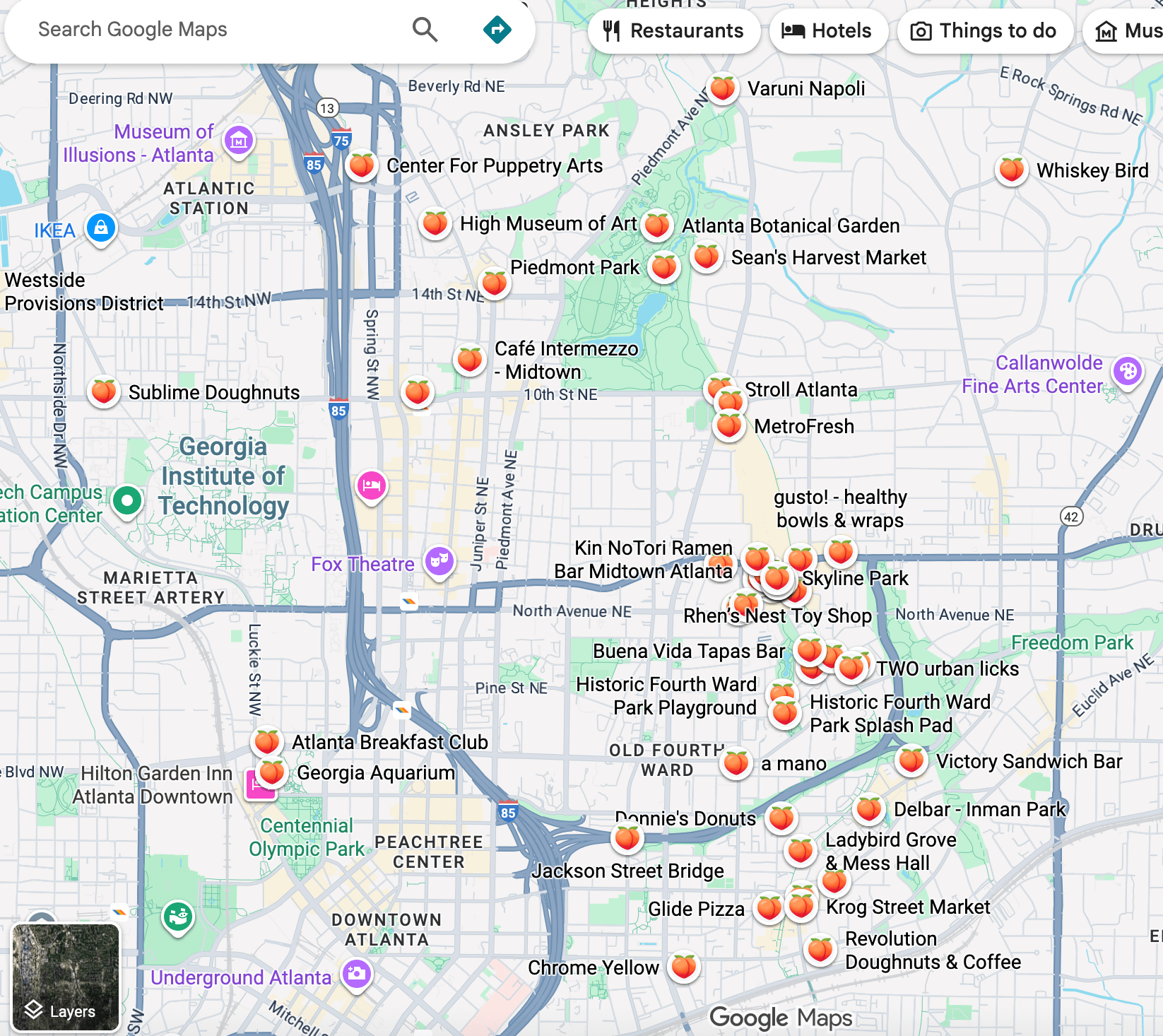
Tip: Once you’ve finalized plans, remove a few (but not all!) of the spots that didn’t make the cut. This keeps the map clean and easier to use while traveling. (And I clearly don’t take this advice every time – I needed to remove a few saves!)
3. Gather Inspiration: Pinterest & Instagram
Next, explore Pinterest with targeted searches. For Atlanta, this looked like:
- “Atlanta with kids”
- “Georgia Aquarium”
- “Weekend in Atlanta”
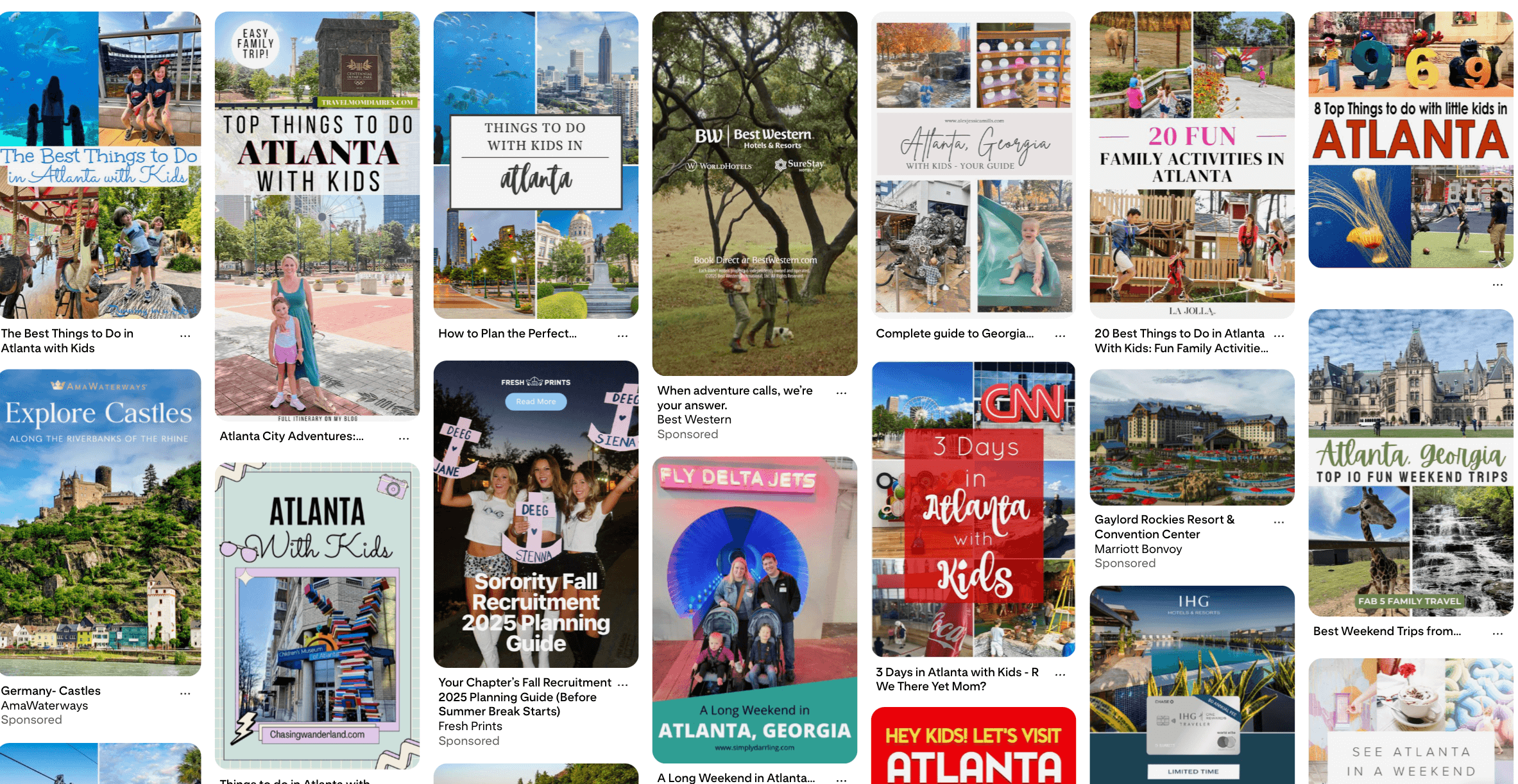
This gives a general vibe of the city and helps you see the places other families love, along with some bonus mom tips from blog posts. (I always try to add a few mom tips into my blog posts and appreciate when others do, too!)
I don’t usually search Instagram while planning (it can be hard to search exactly what you want), but I do keep private saved boards for each region of the U.S. (and a few foreign countries). Whenever I see a helpful reel or carousel about a place we might want to visit someday, I save it there. When I start planning a trip, I’ll quickly check those saved boards to see if anything I’ve collected fits the destination.
4. Choose 1–2 “Big Ticket” Stops
Once you’ve gathered ideas, pick just one or two major must-dos for the trip — especially if it’s a short weekend.
When you start choosing your “must do” stops, think about what you genuinely enjoy as a family. We’re a “museums + really good food + fancy coffee/dessert + soaking in the aesthetic vibe of a destination + playgrounds/outdoor spaces sprinkled in” kind of family. We love short hikes and small towns too, but for this trip, I knew I didn’t want a bare-bones, eat-wherever-has chicken-tenders weekend. It’s also why I didn’t plan stops like a Braves game (we’re just not baseball people!) or the World of Coca-Cola — they might be fun stops when the kids are bigger, but they’re not top priorities for us right now.
For Atlanta, our must-do stops were:
- Georgia Aquarium
- Atlanta History Center
Keeping the “big stops” limited helps you not overplan (which I always have to check myself on!) and helps the kids enjoy each stop a little more.
Check for Timing & Tickets
Even if your plans aren’t finalized, check to see when tickets should be purchased. (Are they available now? Open 60 days in advance?) Then make a note to yourself to either book ASAP or mark the date on your calendar.
Don’t miss out on that “big ticket” stop!
5. Book the Hotel or Airbnb
With must-dos in mind, start planning where you’ll stay on your family trip. Here’s how I think about choosing our stay:
- First, think about the area of town you want to stay in (sometimes, it’s obvious, others it’s not!). I did a quick search for “best areas to stay in Atlanta” and read up on both large travel sites (like Lonely Planet) and small, local blogs.
- This is a great time to ask ChatGPT about the areas you’re finding and your travel must-dos to make sure they match!
- Next, look at specific stays! Can you use hotel points? What is the price per night at specific hotels for your dates? How does that compare to Airbnbs in the area?
- Read the reviews. Enough said.
- Consider walkability, parking, and ease with kids (and cost!) to help make the final decision.
- If it’s a longer trip, is there going to be more than one stay? Are they similar? Do any have unique features that make the stay special?
Choosing a hotel that fits the rhythm of your days makes the whole trip smoother. I chose Wylie Hotel for our trip to Atlanta based on location, retro vibe, and the ability to walk to Ponce City Market for 2 of our meals!
6. Sprinkle in Hidden Gems, Kid Play Spots, and Local Eats
After the big stops and hotel are set, look for stops that compliment the way you travel or things you enjoy:
- Hidden gems (like the Center for Puppetry Arts)
- Kid play spaces (like parks or the new kids’ area at the Atlanta History Center)
- Local foodie favorites from city-focused blogs or Instagram

This helps balance your days with a mix of new experiences and downtime.
7. Sketch a Daily Plan
Now it’s time to make a loose day-by-day outline — one of the most helpful steps when you plan a family trip with kids. Think about:
- Breaks, naps, and meals
- Travel time between stops (and how you’ll get there – walk? drive? ride-share?)
- How long each attraction might take (this is easy to Google!)
- Kids’ energy levels
Tips for Using ChatGPT for Travel Planning
If you already have enough specifics, this is a great time to ask ChatGPT to review your plans. (Notice I didn’t say “plan your trip for you!”)
8. Add Food + Coffee Stops
This is the step where many people stop. They figure they’ll just find something nearby to eat or go with the flow. If you’re Type A (like me!) or have specific preferences, this step is a vital one when you plan a family trip!
Once the day structure is set, plug in any missing restaurants or coffee shops from your saved list. You might also need to do a focused Google Maps search in the area. (I have even searched something as simple as “coffee” and clicked around in a specific neighborhood based on the road we’re driving or where we’re staying. This is how I found one of my absolute favorite coffee shops in Ireland!)
Narrow your choices for meals & snacks by:
- Location + Hours
- Rating + Reviews
- Menu + Price — (Will you find something everyone wants to eat?)
- Atmosphere + Seating
- Parking availability + Walkability — (Important in big cities, like Atlanta!)
If you’re curious, here are all of the restaurants and coffee shops I added to our Atlanta itinerary!
9. Organize the Plan (Optional: Wanderlog App)
Save your plan in one spot. From Google Documents to the Notes app, there are so many options for places to save your itinerary (including specific timings and notes to yourself for later!). I always make sure to have an offline version (or even print it out!) so that I can quickly reference any specific notes.
Wanderlog App
For Atlanta, I tested the Wanderlog app. It was great for a walkable city itinerary! I’ll definitely be trying it again on our next “big city trip.” Here are my pros and cons (for the free version):
Pro
- Looks nice & easy to navigate.
- Organizes stops by categories you create (“Overview”) AND by date (“Itinerary”).
- Has a way to add notes and specific times for each stop!
- “Explore” feature that allows you to see other suggested stops nearby.
- “Expenses” tab so you can compare ticket prices and spending easily (or even split a tab if traveling with friends!).
- Free version is perfect for a weekend trip!
Con
- The print feature is hard to find and the printed version doesn’t look nearly as nice as the app itself.
- It’s difficult to hide all of the features you’re not using so there’s some amount of visual clutter.
- If using on a longer trip, the map and visuals could be really spread out (and it might suggest stops that don’t perfectly fit your itinerary).
Along with your itinerary, I recommend saving your hotel confirmations, tickets, and reservations in a dedicated Google Drive folder. That way, everything is in one place, easy to access on your phone, and easily shareable.
10. Refine Details and Logistics
With the draft itinerary ready, run through little details that could impact your plans, like:
- Rules or hours that affect kids
- Stroller, bag, and food policies
- Special event hours or closures
There were a lot of little things that shaped our trip to Atlanta. Here are a few examples:
- I kept finding Instagramable pictures, videos, and stellar reviews of The Roof at Ponce City Market. We skipped it because I discovered that it becomes 21+ after 7 PM on weekends, and we’d be arriving in Atlanta around 4PM on a Friday!
- Reading the Georgia Aquarium stroller rules made me switch from a double to a single stroller (for our whole trip!), which changed how much walking I could plan for my oldest (including walking up and through Piedmont Park to the Botanical Garden).
- Choosing between the Puppetry Center and the Art Museum — we went with puppetry for its relaxed atmosphere, uniqueness, and lower ticket price.
11. Prep the Kids (The Key to Family Itineraries)
This is my favorite step — and probably the most important.
Prep your kids so they know what to expect and get excited about the adventures ahead. Check out books from the library, watch videos, pretend to fly on an airplane, share details about something new they might try or encounter. As they get older, you can even ask for their input you plan a family trip!
For our stay in Atlanta, we:
- Talked up our first hotel stay: the elevator, the beds, the tip-toeing in the hallway
- Read books about aquatic animals and looked at pictures of whale sharks
- Listened to Sesame Street music


When kids feel excited and know what to expect, they enjoy and understand things so much more! We were able to just sit and enjoy the whale sharks swimming without being rushed because our kids were genuinely in awe and not just “there.” Did this make every moment of the trip perfect? Nope (just ask me about how well we slept in the hotel room!), but it did make the trip worth it!
12. Do a Final Check
The week before the trip, you’ll want to make sure your itinerary still works. Take a few minutes to:
- Check for any closures or hours changes (this is particularly common when seasons change – i.e. high season is over!)
- Swap out anything that’s unexpectedly closed (like our lunch swap from Kin NoTori Ramen Bar to Motorboat!)
Ready to Plan a Family Trip!
That’s it — my simple, repeatable process for planning family trips! It keeps everything organized, prevents overwhelm, and helps our trips feel relaxed but intentional — even in a big city like Atlanta.
If you want to see how this planning turned out in real life, check out my full Atlanta weekend itinerary for all of our adventures! And whether you’re heading to a big city or a cabin in the mountains, I hope this process helps you feel confident when you plan your next family trip.